logo GameNexus
Home Racing 2 Player Puzzles About
Sign In
My Profile Logout
  1. Home
  2. /
  3. Menu
  4. /
  5. Knowledge Quest Trivia Quiz
Knowledge Quest Trivia Quiz

Knowledge Quest Trivia Quiz

Developer: Zinc Veil Interactive
Updated: 2026-10-01
| General Knowledge , Quiz , Brain Training , Trivia , Educational , Browser Game , Multiple Choice
General Knowledge Quiz Brain Training Trivia Educational Browser Game Multiple Choice

Review

Knowledge Quest Trivia Quiz delivers exactly what its name suggests: multiple-choice general knowledge questions in a browser. Its strengths are zero-friction access and a scoring system that rewards streak building, which adds tension to each answer. Lifelines offer a strategic layer, though their limited supply means players must decide when to use them. The lack of registration and device flexibility make it easy to pick up. The main limitation is that the available information does not detail question categories, difficulty scaling, or session length, so players seeking deep progression may find it lightweight.

About This Game

Question Flow and Scoring

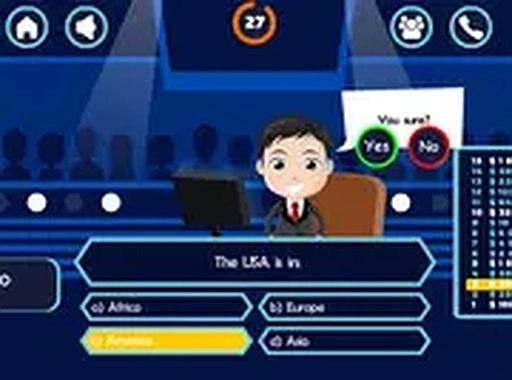
Each round in Knowledge Quest Trivia Quiz presents a multiple-choice question covering general knowledge topics. Players select one answer from several options. A correct choice adds points to the total, while an incorrect answer can end the current session. The scoring system rewards consecutive correct answers, so building a streak is the main way to maximize points. This creates a risk-reward decision: guess on a hard question or play it safe with a lifeline.

Lifeline Strategy

When a question is difficult, players can use lifelines such as asking a simulated friend or polling an audience. These tools provide hints that narrow down the choices, but they are limited per session. Using them on the toughest questions rather than early easy ones helps preserve a high score. The game does not specify how many lifelines are available, so players must judge when the cost is worth the benefit.

Browser-Based Accessibility

Knowledge Quest Trivia Quiz runs entirely in a web browser with no installation or registration. It works on smartphones, tablets, and desktop computers. A full-screen mode is available for focused play, and the interface adapts to different screen sizes. This makes it easy to start a session on any device without setup.

Progression and Replay

The primary goal is to reach a high point threshold, giving players a clear target for repeated attempts. Each session presents a different set of questions, so no two games are identical. Players can track their best scores and try to beat their own records. This adds a personal challenge layer that encourages return play.

Practical Tips

Reading each question carefully before answering helps avoid simple mistakes. Saving lifelines for genuinely stuck moments preserves them for later rounds. Regular play can improve recall speed and broaden knowledge over time. Reviewing incorrect answers is a natural way to strengthen weaker subject areas.


Editorial Notes

Streak Scoring Adds Risk

Because incorrect answers can end a session, the streak-based scoring turns every question into a risk-reward decision. Players must weigh the value of guessing against spending a limited lifeline, which gives the simple multiple-choice format a strategic edge.

Lifelines as Limited Resources

Lifelines are not unlimited. The game offers simulated friend and audience poll options, but using them on easy questions wastes a resource needed for harder ones. This forces players to judge question difficulty before committing a lifeline.

No-Friction Browser Access

Requiring no installation or registration removes the biggest barrier to casual play. The game works across phones, tablets, and desktops with a full-screen mode, making it practical for short sessions wherever a browser is available.

Compatibility

▸ Desktop: Chrome / Edge / Firefox / Safari
▸ Mobile: iOS Safari / Android Chrome
▸ Tablet: iPadOS Safari / Android Tablet Browser
Keep your browser updated for the best experience

Share:

Faq

Does Knowledge Quest Trivia Quiz require any download or account creation?
No. The game runs entirely in a web browser. There is no installation, no registration, and no login required. You can open it on a smartphone, tablet, or desktop and start playing immediately. This makes it convenient for quick sessions without any setup.
What happens if I answer a question incorrectly in Knowledge Quest Trivia Quiz?
An incorrect answer may end the current session. This means a single mistake can cut a run short, so careful reading and strategic lifeline use matter. The exact conditions for ending a session are not detailed in the available information, but the risk of losing progress is a core part of the challenge.
How do lifelines work in Knowledge Quest Trivia Quiz?
Lifelines provide hints that narrow down the multiple-choice options. Examples include asking a simulated friend or polling an audience. They are limited per session, so using them on the toughest questions helps maintain a high score. The game does not specify the exact number of lifelines available.
Can I play Knowledge Quest Trivia Quiz on my phone?
Yes. The game is designed to work smoothly on smartphones, tablets, and desktop computers. The interface adapts to different screen sizes, and a full-screen mode is available for a more focused experience. No separate mobile app is needed; the browser version is sufficient.
Is there a way to track my best score in Knowledge Quest Trivia Quiz?
Yes. Players can track their best scores and attempt to beat their own records. This adds a layer of personal challenge and gives a clear target for repeated play. The game does not specify whether scores are saved locally or require any account.
Does Knowledge Quest Trivia Quiz use the same questions every time?
No. Each session presents a different set of questions, so no two games are identical. This variety supports replay value and helps players encounter a broad range of general knowledge topics over time. The exact size of the question pool is not stated.

Comments

0 comments
U
User
★ ★ ★ ★ ★
Please login to post a comment.
Loading comments...

Related Games

Traffic Flow Puzzle Challenge
▶

Traffic Flow Puzzle Challenge

Puzzle , Brain Training , Vehicles , Logic , Traffic , Casual
Fruit Memory Match Puzzle
▶

Fruit Memory Match Puzzle

Memory , Puzzle , Brain Training , Family Friendly , Card Matching , Casual
Matchstick Logic Puzzles: Brain Workout
▶

Matchstick Logic Puzzles: Brain Workout

Puzzle , Logic , Family Friendly , Brain Training , Matchstick Puzzles , Math Puzzles
Jungle Word Search Puzzle
▶

Jungle Word Search Puzzle

Puzzle , Word , Word Search , Relaxing , Jungle , Educational , Family-Friendly
Target Defender Challenge
▶

Target Defender Challenge

Precision Aim , Defense , Aiming Game , Resource Management , Browser Game , Mobile Game , Strategic Shooting
Star Quest Puzzle Challenge
▶

Star Quest Puzzle Challenge

Puzzle , Adventure , Platformer , Browser Game , Casual , Star Collection , Key and Door
Precision Gear Racing
▶

Precision Gear Racing

Driving , Racing , Arcade , Timing , Car Upgrade , Browser Game
Ancient Dino Sanctuary Adventure
▶

Ancient Dino Sanctuary Adventure

Exploration , Creature Care , Strategy , Casual RPG , Dinosaur , Base Building , Browser Game

GameNexus

  • Home
  • Racing
  • 2 Player
  • Puzzles
  • About
  • Terms of Use
  • Privacy Policy
  • Contact Us
  • Disclaimer

© 2026  GameNexus All rights reserved.

↑

Share this page

Copy the link below to share this page: