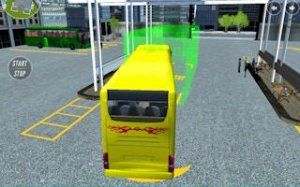
Urban Cruise Explorer

Urban Cruise Explorer

Developer: Glimmer Light Games
Updated: 2026-07-21
| Driving , Arcade , Open World , Multiplayer , Exploration

Review

Urban Cruise Explorer succeeds in creating a low-pressure driving environment. The city feels large enough to get lost in, and the addition of helicopters breaks up the monotony of road travel. Multiplayer adds a welcome social layer without forcing interaction. Controls are responsive and easy to learn. The lack of a story might disappoint some, but for those seeking a chill driving experience, this game delivers.

About This Game

Freedom on the Asphalt

Urban Cruise Explorer places you behind the wheel in a detailed city environment where the only rule is to drive your way. There are no forced missions or time limits. You can simply cruise along wide boulevards, weave through side streets, or park and take in the sights. The city is your playground, designed for those who enjoy the simple pleasure of driving without pressure.

Vehicle Variety and Aerial Options

Beyond cars, the game introduces helicopters as a secondary mode of transport. Switching between ground and air travel changes how you experience the city. From above, you can spot landmarks and plan your next route. On the ground, you can visit garages to keep your vehicle in top shape. This mix of transport types adds a fresh layer to the standard driving formula.

Shared Roads and Social Play

Multiplayer integration means you are never alone on the streets. You can encounter other drivers, ride as a passenger in their car, or simply chat while cruising together. This social element turns a solo drive into a shared experience. Whether you prefer to lead a convoy or just follow along, the choice is yours.

Controls Built for Comfort

The control scheme is straightforward and familiar to anyone who has played a driving game. Standard keyboard inputs handle acceleration, braking, and steering. A handbrake is available for sharper turns, and a nitro boost provides a temporary speed increase when you want it. If your car gets flipped, a quick flip function gets you back on the road. The camera can be adjusted to your preferred angle, ensuring a comfortable view at all times.

Interactive City Features

The city is not just a backdrop. It contains functional locations like garages for repairs and designated helicopter call points. A built-in radio adds atmosphere, letting you listen to music as you explore. These details make the environment feel alive and responsive. You can pause the radio, change tracks, or drive in silence.

Compatibility

Play on Any Device | Chrome / Safari / Edge Recommended

Faq

Can I play Urban Cruise Explorer on a mobile device?
The game is designed for standard keyboard and mouse input, which suggests it is primarily for PC. There is no mention of mobile or console support, so it is best played on a computer with a keyboard.
Is there a storyline or campaign to follow?
No. Urban Cruise Explorer focuses on free exploration without a strict narrative. You are not required to complete objectives or follow a plot. The experience is entirely open-ended, letting you drive and explore at your own pace.
How do I switch between driving and walking?
You can exit your vehicle using the E key, which allows you to walk around on foot. To re-enter a car, press E again near the vehicle. This lets you explore areas that are not accessible by car.
Can I play with friends in a private session?
The game includes multiplayer elements, but it is not specified whether private sessions are available. You can drive with others and chat, but the exact server or lobby options are not detailed in the game description.
Are there any in-game purchases or ads?
The provided information does not mention microtransactions, in-game purchases, or advertisements. Based on the description, the game appears to be a straightforward driving experience without monetization features.
What happens if my car gets damaged?
You can visit garages located throughout the city to repair your vehicle. These garages are part of the interactive environment. If your car gets stuck or flipped, you can use the G key to flip it back onto its wheels.

Comments

0 comments
U
User
Loading comments...