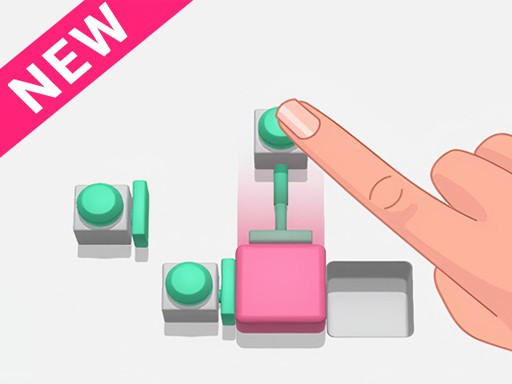
Slide Blocks: 3D Puzzle Game

Slide Blocks: 3D Puzzle Game

Developer: Luck Edge Digital
Published: 1760198400
Updated: 2026-07-05
| Arcade , Puzzle

Review

Slide Blocks is a refreshing puzzle game that demands careful planning. The 3D graphics are clear and appealing, and the no-undo mechanic adds a layer of strategy not found in many block puzzles. The gradual difficulty curve keeps you engaged without frustration. It is a great choice for players of all ages who enjoy logical challenges.

About This Game

Game Introduction

Slide Blocks: 3D Puzzle Game is a puzzle game where players slide colorful blocks into matching holes on a board. The main goal is to clear the board by pushing each block to its correct destination. A unique feature is that moves cannot be undone, so careful planning is needed. The puzzles start easy and become more complex, providing a satisfying challenge for players of all ages. The 3D view lets you see the board from any angle to help plan your moves.

How to Play

To play, look at the board and figure out which block belongs in which hole. Then, tap or click on a block to push it in a direction. The block slides until it hits a wall, another block, or falls into a hole. You cannot push a block if another piece blocks it. Since there is no undo button, think carefully before each move. If you make a mistake, you may need to restart the level. The game offers unlimited tries, so you can learn from errors and improve your strategy.

Game Features

Features include fun 3D graphics that make blocks and holes easy to see, tricky puzzles that require logical thinking, and a no-undo mechanic that adds challenge. The game is family-friendly with no violence or inappropriate content. Controls are smooth and work on both touchscreens and with a mouse. Difficulty increases gradually, helping players build puzzle-solving skills. Unlimited retries allow you to learn from mistakes, and the clean design keeps focus on the puzzles.

Tips for Success

To succeed, always look at the entire board before making your first move. Identify which blocks are in vulnerable positions and plan the order of pushes. Avoid pushing blocks into corners where they cannot be moved later. Think several steps ahead, as each move changes the board. Practice regularly to improve your spatial reasoning and planning skills. If you get stuck, try restarting the level and approaching it from a different angle.

Compatibility

๐Ÿ’ป Desktop | ๐Ÿ“ฑ Mobile | ๐Ÿ“Ÿ Tablet
โ€“ All supported ยท Best with Chrome or Safari

Faq

Is Slide Blocks free to play?
Yes, Slide Blocks is free to play. It may include optional in-game purchases or ads, but the core puzzle experience is available without any cost.
Can I play Slide Blocks on my phone?
Yes, Slide Blocks is designed for both touchscreens and mouse input. It works on smartphones, tablets, and computers, making it easy to play anywhere.
How many levels does Slide Blocks have?
The game includes a large number of puzzles that start simple and increase in difficulty. While the exact count is not specified, there are enough levels to provide hours of engaging gameplay.
Does Slide Blocks require an internet connection?
Some versions of Slide Blocks may require an internet connection to load new puzzles or save progress. However, many features may be available offline once the game is loaded.
Is there a timer or score system in Slide Blocks?
Slide Blocks focuses on careful planning rather than speed. There is no timer, so you can take your time. The game may track your moves or completion time for personal improvement.
Can I play Slide Blocks with friends?
Slide Blocks is primarily a single-player puzzle game. However, you can share your progress or challenge friends by comparing how many moves you took to solve each puzzle.

Comments

0 comments
U
User
Loading comments...