Digital Maze Navigator combines logic puzzle routing with action timing. The disappearing pathways prevent backtracking, so every stage becomes a planning exercise before you even move. Early levels teach the basics at a comfortable pace, then speed and complexity increase with wider gaps and trickier key placements. The desktop-only controls are simple, and the timer adds gentle pressure. It suits players who enjoy spatial puzzles and precise platforming, though those wanting a slower, exploratory pace may find the constant forward momentum demanding.
About This Game
Disappearing Ground and Forward Motion
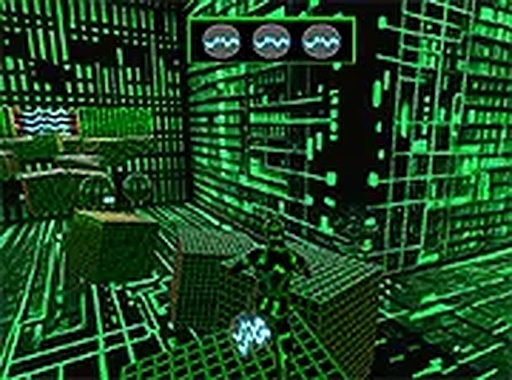
Digital Maze Navigator drops you into a digital landscape as a small program with one job per stage: gather a set number of keys scattered across the environment. The exit door stays locked until every key is collected. The defining twist is that the blocks forming the pathways vanish shortly after being stepped on. There is no standing still or backtracking over the same tile. You must keep moving forward and plan your route several moves ahead, because the floor you just crossed is already gone. This turns each stage into a test of quick thinking and adaptation as the terrain changes beneath you.
Maze Layouts and Rising Pace
The game presents a series of interconnected mazes that grow more intricate with each completed stage. Early levels introduce the basic mechanics with simple layouts and a comfortable pace. As you progress, the speed of the game increases, and the maze designs become more complex, incorporating wider gaps and more challenging key placements. This gradual ramp in difficulty ensures that you are constantly learning and improving without feeling overwhelmed too quickly. The result is a satisfying sense of mastery as you advance through the stages.
Controls and On-Screen Feedback
Designed exclusively for desktop play, Digital Maze Navigator uses straightforward keyboard or mouse inputs. You can move left or right and jump to cross gaps. The interface is clean and minimal, with a clear display of the remaining keys needed and a timer for each session. Controls are responsive, allowing for precise movements that are essential when navigating the disappearing platforms. This simplicity makes the game accessible to players of all ages and skill levels.
Visual Style and Readability
The game features a clean, futuristic aesthetic with a digital theme. Graphics are crisp and uncluttered, focusing attention on the gameplay. The color palette is bright and family-friendly, with each element clearly distinguishable. The visual design supports the core mechanic by making the disappearing blocks and key locations easy to spot. This thoughtful presentation enhances the overall experience without distracting from the strategic puzzle-solving at the heart of the game.
Editorial Notes
Compatibility
Play on Any Device | Chrome / Safari / Edge Recommended
Share:
Faq
Is Digital Maze Navigator available on mobile devices?
The game is designed exclusively for desktop play. It uses keyboard or mouse inputs, and the precise movements required for disappearing platforms are built around that setup. No mobile version is mentioned in the available information, so players should plan to play on a desktop computer.
What happens if I miss a key in Digital Maze Navigator?
The exit door only becomes accessible once all keys are collected. Because the blocks you step on vanish shortly after being stepped on, backtracking over the same path is not possible. If you miss a key, you will likely need to restart the stage and plan a route that covers every key before reaching the exit.
Does Digital Maze Navigator have a timer or score system?
Yes. The interface includes a timer for each session, so stages are timed. The display also shows the remaining keys needed. There is no mention of a traditional score system, but the combination of a timer and the disappearing pathways encourages efficient, forward-moving routes rather than slow exploration.
Is Digital Maze Navigator suitable for children?
The game has a bright, family-friendly color palette and a clean, futuristic visual style. Controls are simple: move left or right and jump. The difficulty increases gradually, so younger players can learn the basics in early levels. However, the need to plan several moves ahead may challenge very young children.
How does the difficulty increase in Digital Maze Navigator?
As you complete stages, the speed of the game increases and maze designs become more complex. Later stages introduce wider gaps and more challenging key placements. Early levels keep a comfortable pace to teach the basic mechanics. This gradual ramp means you are constantly learning without being overwhelmed too quickly.
Can I pause or restart a stage in Digital Maze Navigator?
The provided information does not specify pause or restart options. What is clear is that each session has a timer and the exit requires all keys. Because pathways disappear after being stepped on, a failed route often means restarting the stage. Players should check the in-game menu for exact pause and restart controls.








Comments
0 comments