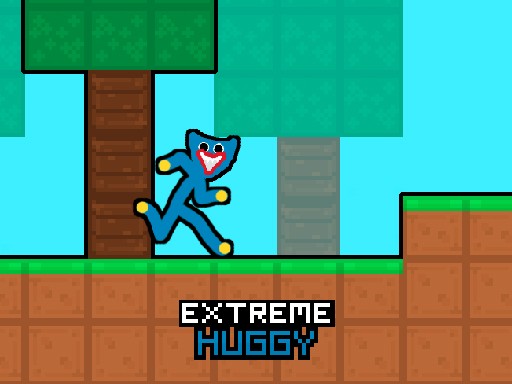
Huggy Arcade Obstacle Dash delivers exactly what its name suggests: a timed survival run through falling gears and ground traps. The four-direction controls work with mouse or keyboard, keeping the barrier to entry low. Its strongest asset is the dual pressure of a visible timer and escalating obstacle density, which turns each level into a test of observation and small, precise movements. The lack of violent content makes it a reasonable pick for family play. The main limitation is variety—without additional mechanics beyond dodging, the experience relies on difficulty scaling to stay interesting.
Huggy Arcade Obstacle Dash drops you into a hazard course where spinning gears fall from above and traps line the ground. Your only goal is to guide Huggy to the black portal at the finish line before the on-screen timer hits zero. [IMG_1] The layout forces constant small adjustments: stepping left or right to slip between gears, then moving up or down to avoid a floor trap that triggers on contact. Because both hazard types appear at once, you cannot rely on a single safe lane or memorized path for long.
Movement uses either the mouse or the keyboard, letting you shift Huggy in four directions. The controls respond immediately, which matters when a gear is already descending toward your position. There is no attack button or complex combo system to learn, so the entire challenge rests on reading obstacle timing and committing to a direction. [IMG_2] New players can start moving within seconds, but the later stages demand faster decisions as gears and traps crowd the available space.
Each level increases the difficulty, typically by tightening the window between safe movements or adding more obstacles to track. The timer at the top of the screen adds a second layer of pressure: you can play cautiously, but waiting too long means the portal closes before you arrive. [IMG_3] That tension between patience and urgency is the core loop. Reaching the portal early reduces last-minute panic, while hesitating near a gear often leads to a hit that costs precious seconds.
The game contains no violent or inappropriate content, making it suitable for younger players and mixed-age groups. The two-player tag suggests a shared or alternating mode, though the core experience is a solo dash against the clock. [IMG_4] Because failure comes from mistimed movement rather than combat, losing a run feels like a reflex error rather than a punishment, which keeps repeat attempts low-stress.






Comments
0 comments